
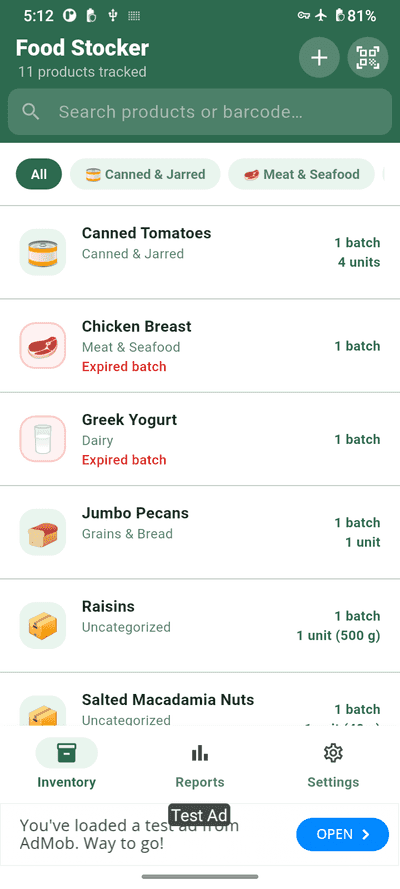
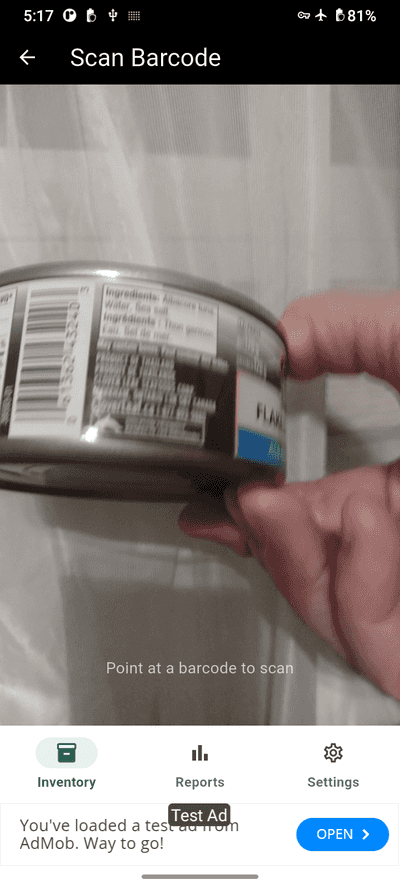
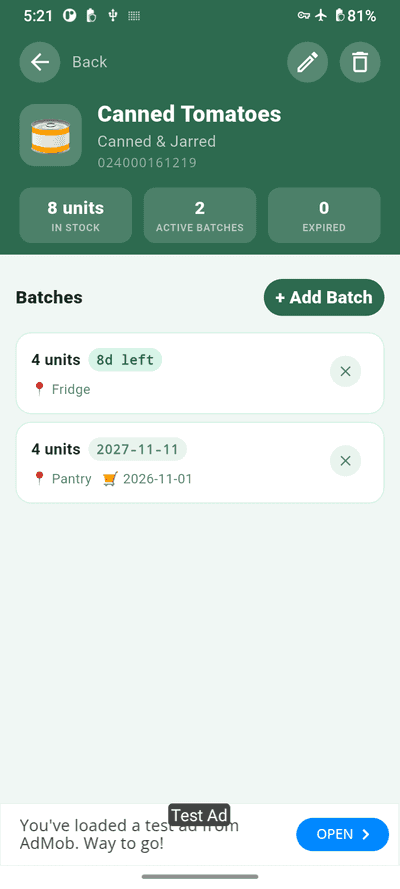
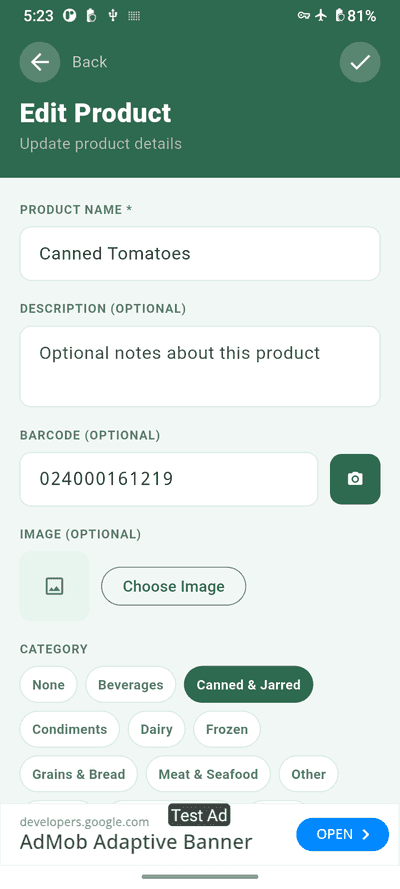
Take control of your pantry, cupboards, freezer, storage room, or supply closet. Track products and quantities, organize batches by storage location and category, and quickly spot items that are expiring or already expired.
Know what you have, where it is, and when it expires
Food Stocker is a practical inventory manager for everyday household supplies, groceries, emergency preparedness, and many other physical goods. It is easy to use for food, but it is not limited to food products: add medicine, batteries, first-aid supplies, tools, toiletries, pet supplies, camping equipment, or any other items you want to track.
Whether you are organizing a kitchen, managing a deep freezer, building a home emergency supply, or keeping a long-term stockpile, Food Stocker gives you a clear picture of your inventory.
Complete inventory tracking
- Add products manually or look up supported products by barcode.
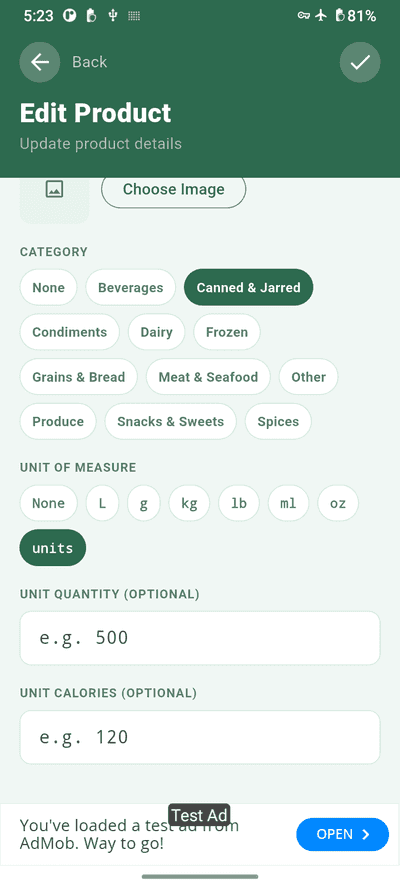
- Store a product name, description, category, barcode, photo, unit size, unit of measure, and optional calories.
- Organize products with customizable categories and category icons.
- Track individual batches for each product, rather than only a single quantity.
- Record a quantity for every batch.
- Set a purchase date and expiry date for each batch.
- Assign batches to a storage location such as a fridge, freezer, pantry, cabinet, counter, or any custom location you create.
- View stock totals and separate active and expired batches for each product.
- Edit or remove products and batches at any time.
Fast barcode scanning
Use your device camera to scan barcodes quickly:
- Find an existing product and add one unit to its latest batch.
- Create a new batch with quantity 1 for an existing product.
- When a barcode is unknown, open the product editor with the barcode pre-filled.
- When enabled, retrieve supported product details from Open Food Facts, a free, community-maintained database.
- Review and choose whether to replace details that would overwrite information you already entered.
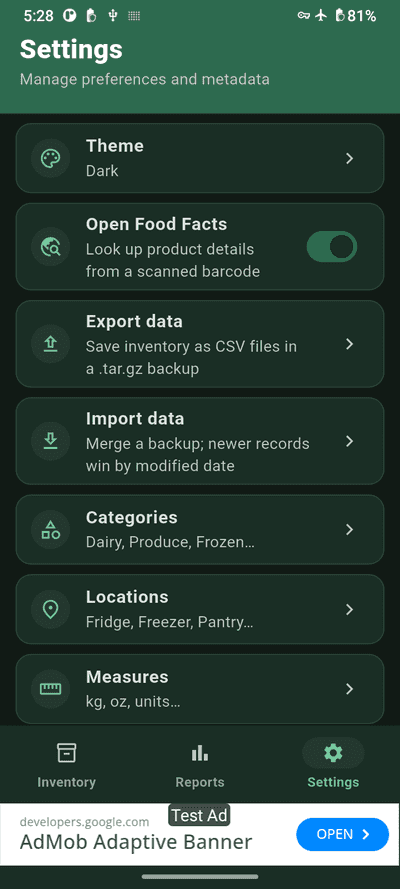
Open Food Facts barcode lookup is optional and can be enabled or disabled in Settings.
Powerful search and organization
- Search your inventory by product name or barcode.
- Filter products by category.
- Sort the product list alphabetically.
- See stock totals and package size at a glance.
- Use category chips and recognizable icons for faster browsing.
- Customize categories, locations, and units of measure to match your household or storage system.
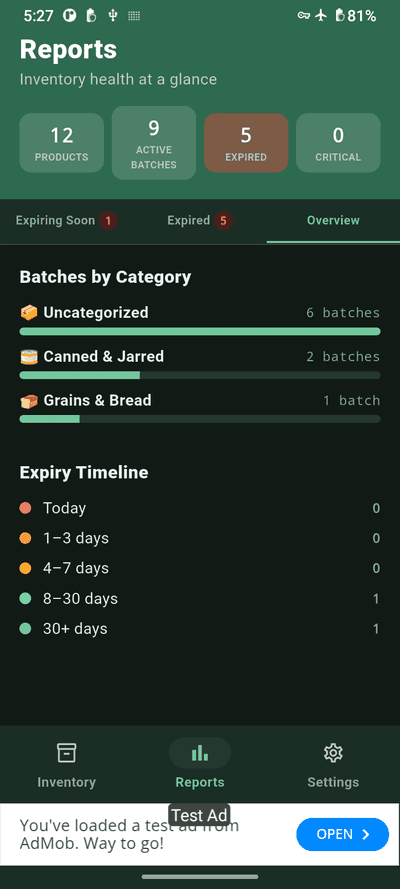
- Switch between System, Light, and Dark themes.
Expiry and inventory reports
Stay ahead of waste and shortages with clear inventory reports:
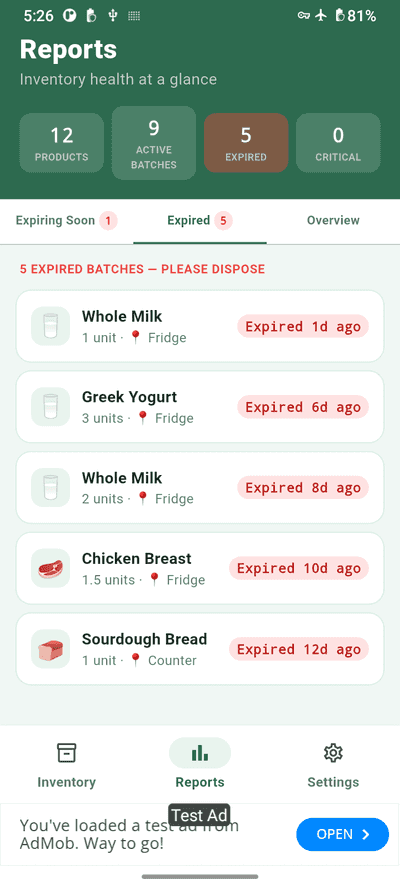
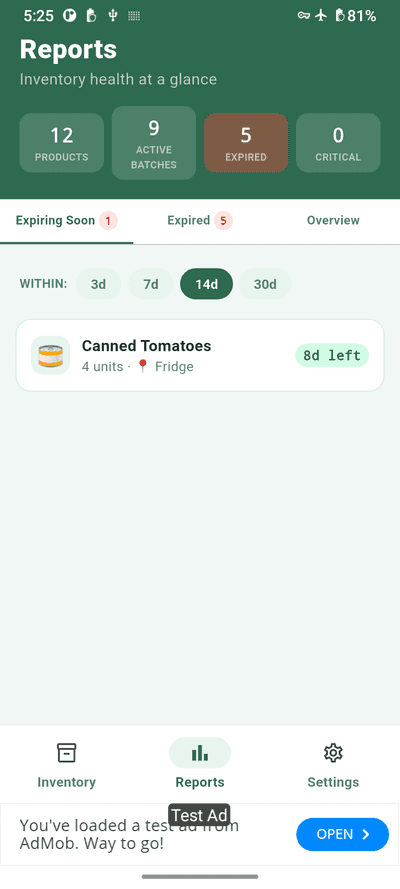
- View a summary of total products, active batches, expired batches, and critical batches.
- Check items expiring soon within 3, 7, 14, or 30 days.
- Review all expired batches in one place.
- See product and batch counts grouped by category.
- Review an expiry timeline to understand what will expire soon.
- View the purchase and expiry details of every reported batch.
- Sort expiring items by the nearest expiry date.
Batches make inventory more accurate
Instead of combining everything into one number, Food Stocker lets you track separate batches of the same product. This makes it easier to:
- Record items purchased on different dates.
- Track differing expiry dates for identical products.
- Keep separate stock in a fridge, freezer, pantry, or supply room.
- Manage partial quantities and larger unit counts accurately.
- Avoid throwing away usable items or overlooking expired stock.
Useful for preppers and emergency planning
Food Stocker is a useful stockpile and preparedness tool. It can help you:
- Build an organized inventory of emergency food and water.
- Track medicines and first-aid supplies.
- Monitor batteries, camping gear, fuel-related supplies, or spare household items.
- Record the locations of preparedness supplies.
- Identify stock that will expire soon before it is too late to use or replace it.
- Keep a backup-ready list of everything in your storage room or bug-out supplies.
Food Stocker does not determine safety, nutrition, shelf life, or treatment guidance. Always follow the manufacturer, public-health, or emergency-management guidance for the items you store.
Backup, restore, and transfer
Protect and move your inventory:
- Export your complete inventory as a gzipped tar archive containing CSV data.
- Include categories, locations, measures, products, product images, and batches in your backup.
- Import a backup to merge records into the app.
- Match records by ID and update existing records when the incoming record has a newer modification date.
- Share backup files through your device’s supported sharing options.
Importing is merge-based rather than an automatic full replacement.
Flexible on phones, tablets, and the web
Food Stocker adapts to smaller and wider screens, with a mobile navigation bar, tablet and desktop-style layouts, and responsive inventory grids. It is available for Android and iOS and also includes a web build.
Data and privacy
- Your inventory is stored locally on the device.
- No account is required.
- No cloud account or remote inventory sync is required.
- Optional barcode lookup sends barcode requests to Open Food Facts.
- Advertising services may be used on supported platforms.
- Exported backups are under your control and can be shared through your preferred apps.
Why choose Food Stocker?
- Simple, focused inventory management
- Detailed batch-level tracking
- Fast barcode intake
- Expiry alerts and reports
- Flexible categories and storage locations
- Suitable for both food and non-food items
- Designed for households, preppers, and organized stockrooms
- Local inventory storage with backup and import
- Light, dark, and system themes
Start by adding a product, then add each package or lot as a batch. Use categories and locations to organize your stock, scan barcodes to save time, and check Reports regularly to reduce waste and keep important supplies ready.